Unfortunately, Meta changed our ability to share links. Our facebook pages are now limited to two link shares a month, which is a bummer since Facebook was the one social where you could actually share links. I prefer to keep as much of my marketing organic (unpaid) as possible, so I am not interested in paying $50 a month to be able to share links on Facebook. If they had many useful marketing tools that replaced others I was paying for, that might tempt me… But I haven’t seen anything to make that cost worth it. But don’t you worry, I found several ways around this so you can keep sharing links with your excited readers.
Important Note: Facebook is rocking it in reader reach right now and in conversion to sales, so sharing links might be worth it for you. Definitely look at how many links people are clicking and converting to your sales pages from FB and see if that added cost is worth it for you.
Okay, back to the fact that Facebook is rocking it at reach and conversion. This will be a whole other post, but through my trial reels strategy and simply auto-posting my reels from Instagram over to Facebook. My follower count has grown 9500 new followers in the past 90 days! I was around 200 followers before I started my trial reels strategy, so I know this has been a big factor in this growth. But, I am hearing this from several of my authors as well! So, don’t sleep on Facebook, and I will share my FB strategy in a next blog post.
Now, how can we share links every day if we have been limited to two a month?
- Use your two links a month to create and update your pinned posts on Facebook. Pinned posts are your main hub for the most important links. Your book sales page (or reading order page with links to all of your books), Your newsletter opt-in link and a promo making them want to join, Your current promo or campaign.
- Link in Bio
- Website link on your page info
- Buttons: Learn more (author links page) and Signup (newsletter opt-in link)
- Links in Stories (use the link sticker to share direct links anytime you make a post)
- Story Highlights (save your linked stories in your highlights) These live permanently on your page even though the stories disappear after 24 hours.
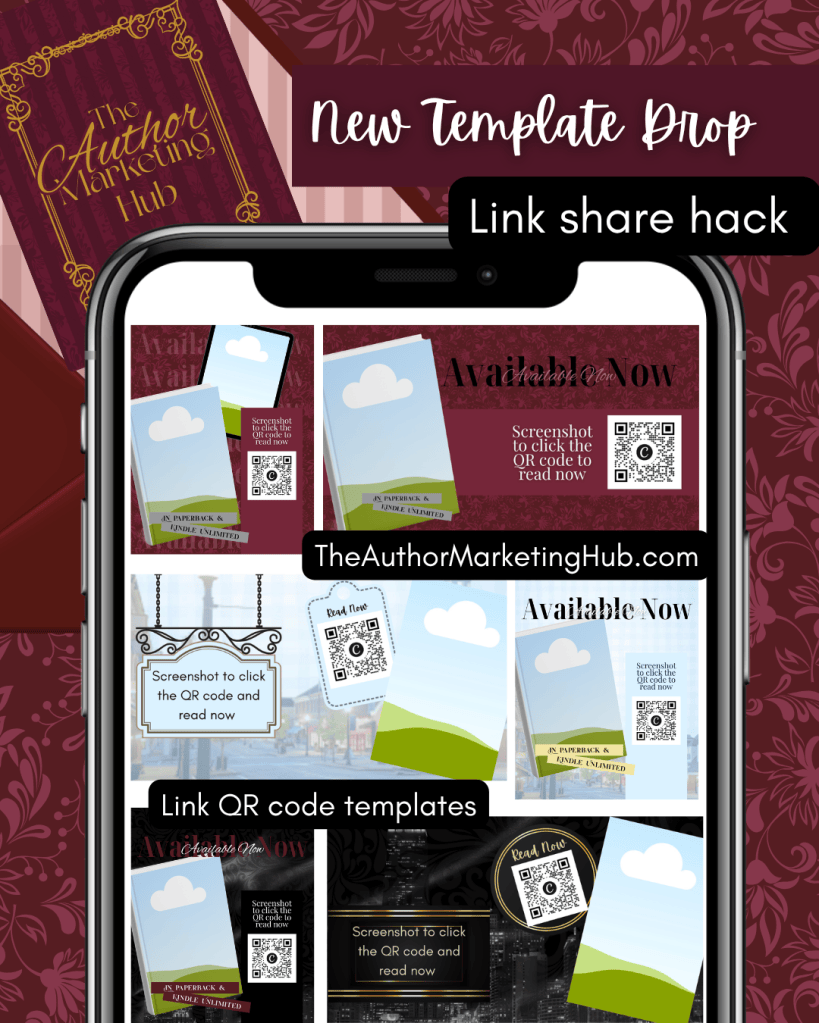
- QR code graphics to post on FB and to use in comments when readers ask for a link. You can do this on IG too!! Pin this graphic as a pinned comment on the post for easy access, and comment the graphic when readers ask for a link. You can see some examples in the graphic below. These templates have been add to the Templates section of The Author Marketing Hub, so if you are a member go grab them and start making your own! If you aren’t a member, you can join for $37.99 a month and have access to all the author templates, marketing, live strategy chats, and more!
Happy marketing!
-Alicia
If you want more author marketing resources sent straight to your inbox each month, join the Author Marketing Newsletter and I will send you my Author Marketing Starter Guide to get you started!


Leave a Reply